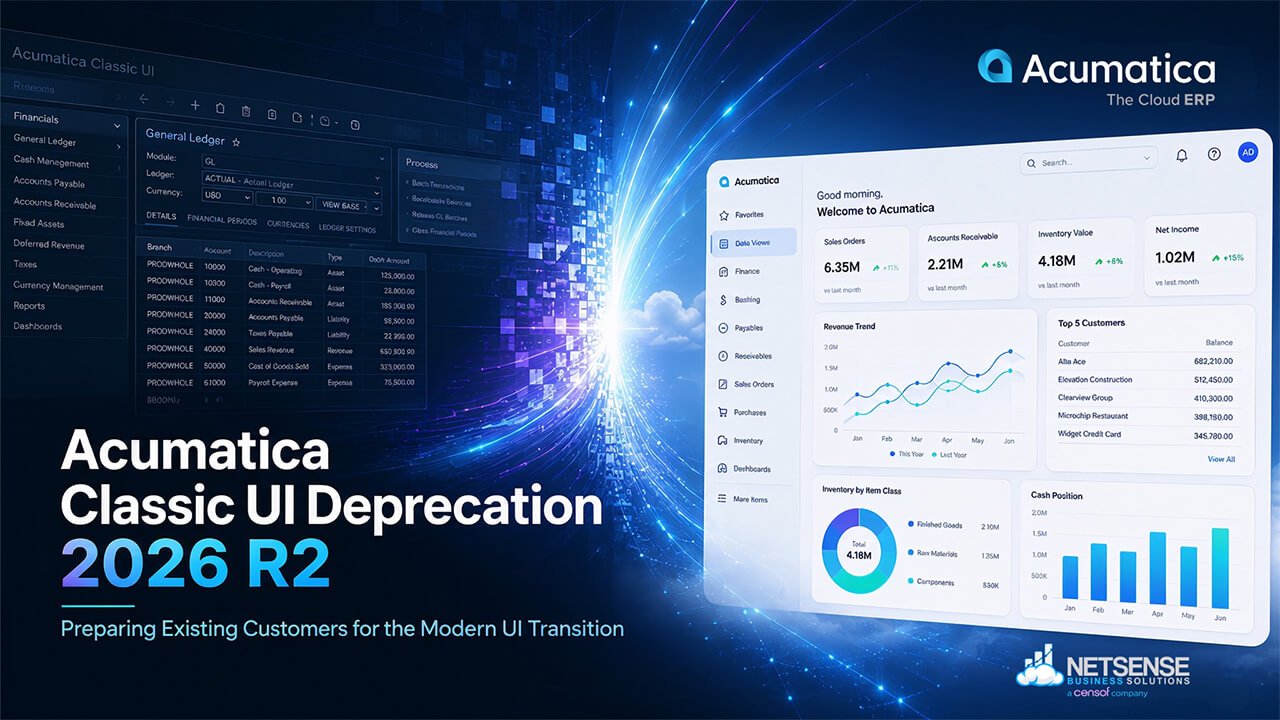
Acumatica’s decision to deprecate the Classic UI in the upcoming 2026 R2 release is more than a visual interface update. For many existing customers, it represents a broader shift toward platform modernization, long-term scalability, and future ERP usability standards.
While the transition to Modern UI brings opportunities for improved responsiveness, cleaner navigation, and a more consistent user experience, it also introduces important operational and technical considerations that organizations should not underestimate. Existing customizations, department-specific workflows, user adoption readiness, and upgrade governance all become critical areas that require early evaluation.
For organizations running Acumatica across finance, operations, distribution, manufacturing, construction, or service environments, the impact of this transition may extend beyond IT alone. ERP systems are deeply embedded into daily business processes, and even seemingly small interface changes can affect productivity, reporting habits, approval workflows, and overall user confidence.
The challenge is not simply whether businesses can move to Modern UI — eventually, they will need to. The more important question is whether the transition is approached proactively and strategically before the 2026 R2 timeline creates unnecessary operational pressure.
This article explores what existing Acumatica customers should prepare for ahead of the Classic UI deprecation, including customization considerations, migration readiness, user adoption risks, and practical planning strategies that can help reduce disruption during the transition to Modern UI.
As an experienced Acumatica implementation and advisory partner, Netsense Business Solutions works closely with organizations across various industries to help align ERP modernization initiatives with operational stability, scalability, and long-term business objectives.
Table of contents
- What Is Changing in Acumatica 2026 R2?
- Why Existing Acumatica Customers Should Take This Seriously
- The Biggest Challenge Is Usually Not the ERP Core — It’s the Customization Layer
- A Practical Readiness Checklist Before Moving to Modern UI
- Why User Adoption Can Become the Hidden ERP Risk
- The Business Advantages of Acumatica Modern UI
- A Recommended Transition Approach for Existing Acumatica Customers
- How Netsense Helps Acumatica Customers Reduce Migration Risk
- Frequently Asked Questions (FAQ)
- Preparing Early Reduces ERP Upgrade Risk
What Is Changing in Acumatica 2026 R2?
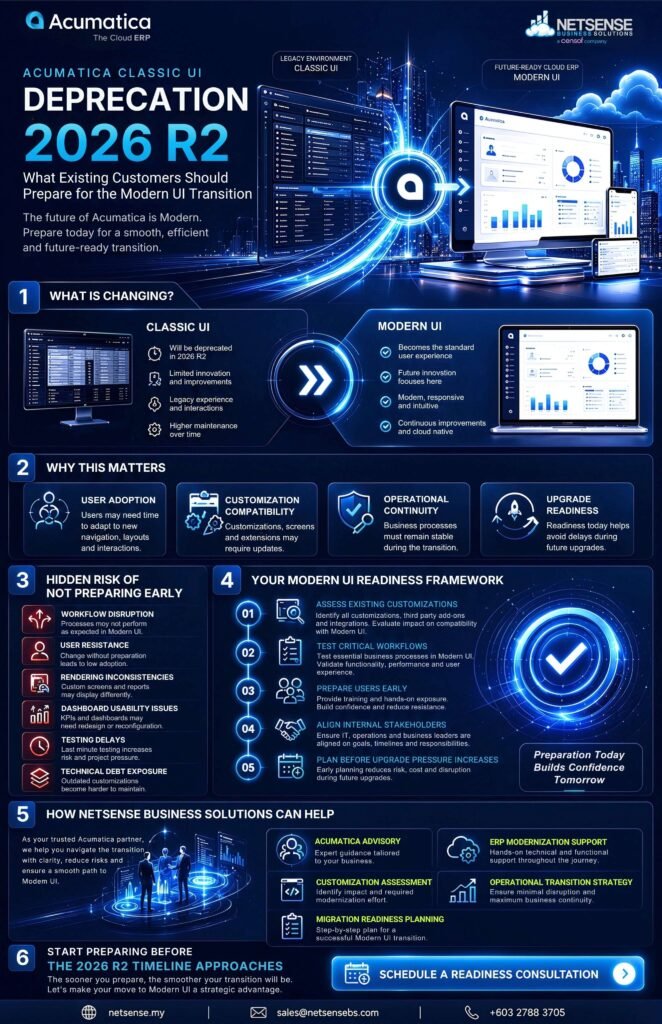
Acumatica has officially announced that the Classic UI will be deprecated beginning with the 2026 R2 release, marking a significant milestone in the platform’s ongoing modernization strategy. Once organizations upgrade to 2026 R2 and future versions, the Classic UI will no longer be available, and customers will operate exclusively within the Modern UI environment.
For existing Acumatica customers, this change is not simply about adopting a different interface design. It reflects a broader platform direction focused on improving usability consistency, accelerating product innovation, and simplifying long-term platform maintenance.
Historically, the Classic UI has been widely used across many Acumatica environments because of user familiarity and long-established workflows. Over time, however, maintaining two parallel interface frameworks creates increasing complexity from both development and support perspectives. By consolidating around a single modern interface architecture, Acumatica can focus future investments on improving performance, responsiveness, personalization capabilities, and overall user experience.
The Modern UI introduces a cleaner and more streamlined interface designed to support modern web application standards and more flexible user interactions. The newer interface emphasizes:
- improved navigation consistency,
- faster responsiveness,
- enhanced mobile usability,
- cleaner screen layouts,
- and more adaptable personalization capabilities across devices.
Acumatica has also indicated that future enhancements and innovation efforts will primarily center around the Modern UI framework moving forward. This means organizations that delay preparation may eventually face greater operational pressure as upgrade timelines approach.
Importantly, the deprecation of the Classic UI does not mean that business data, workflows, or ERP logic suddenly disappear after upgrading. Core ERP functionality remains intact. However, the transition may affect how users interact with screens, dashboards, forms, customizations, and department-specific operational processes.
For organizations with heavily customized Acumatica environments, the transition timeline becomes especially important. Existing UI-level customizations, modified screens, third-party extensions, and user-specific workflows may require evaluation, testing, and refinement to ensure compatibility within the Modern UI framework.
Acumatica currently continues to support the Classic UI prior to the 2026 R2 release timeline. However, businesses that wait until the final upgrade window to prepare may encounter compressed testing cycles, rushed user training, and unnecessary migration risks.
Rather than treating this as a last-minute technical upgrade task, organizations should approach the transition as part of a broader ERP modernization and operational readiness initiative. Early preparation provides more flexibility for testing, customization reviews, user enablement, and phased adoption strategies before the mandatory transition deadline arrives.
Why Existing Acumatica Customers Should Take This Seriously
For many organizations, it may be tempting to view the transition from Classic UI to Modern UI as a purely visual change. In reality, the impact extends far beyond interface aesthetics. For existing Acumatica customers, this transition has direct implications for operational continuity, user productivity, customization management, and long-term ERP governance.
ERP systems sit at the center of daily business operations. Finance teams rely on them for approvals and reporting, warehouse teams depend on them for inventory movement and fulfillment processes, while operational managers use them to monitor workflows, project execution, and business performance in real time. Even relatively small interface or workflow adjustments can influence how efficiently teams complete routine tasks across departments.
Because of this, the transition to Modern UI should not be approached as a simple cosmetic upgrade. Organizations that delay preparation may unintentionally create larger operational challenges closer to the mandatory 2026 R2 transition timeline.
Also Read: Acumatica 2026 R2: New Features, AI Enhancements and Business Benefits
One of the most common risks is user resistance. Many organizations have teams that have worked with the same ERP screens and navigation patterns for years. Familiarity often becomes deeply embedded into operational habits. When interface behavior changes, even slightly, users may initially experience slower transaction processing, uncertainty around navigation, or reduced confidence when completing critical tasks.
This issue becomes more significant in environments where departments rely heavily on repetitive workflows such as:
- invoice approvals,
- purchasing transactions,
- inventory transfers,
- production updates,
- field service coordination,
- or project accounting processes.
In these cases, short-term productivity disruption during transition periods is common if organizations fail to provide proper preparation, testing, and user enablement.
Another major concern involves hidden customization dependencies. Many existing Acumatica environments contain years of accumulated screen modifications, personalized workflows, third-party extensions, or department-specific UI adjustments. In some organizations, operational teams may no longer fully realize how dependent daily processes have become on these customizations until migration testing begins.
As ERP environments evolve over time, this often creates a form of technical debt accumulation — where historical modifications gradually increase upgrade complexity and reduce flexibility for future platform modernization initiatives.
Without early assessment and testing, businesses may encounter:
- unexpected workflow inconsistencies,
- screen rendering issues,
- user permission conflicts,
- dashboard usability problems,
- or delays in upgrade readiness.
This is especially important for organizations operating in industries where ERP downtime or workflow disruption directly impacts revenue, operational throughput, or customer delivery performance.
Beyond technical concerns, the transition also introduces broader governance and change management considerations. ERP modernization efforts require coordination between IT teams, operational departments, finance stakeholders, and leadership teams. Successful transitions typically involve:
- structured testing procedures,
- phased rollout planning,
- user communication strategies,
- internal training,
- and clearly defined ownership during migration preparation.
Organizations that begin planning earlier generally have greater flexibility to manage risk gradually instead of reacting under compressed upgrade timelines later.
Ultimately, the most important question is not whether organizations will eventually move to Modern UI — the platform direction already makes that inevitable. The more strategic question is whether businesses are preparing early enough to minimize operational disruption, reduce upgrade pressure, and maintain long-term ERP agility as the Acumatica platform continues to evolve.
The Biggest Challenge Is Usually Not the ERP Core — It’s the Customization Layer
For most existing Acumatica customers, the largest migration challenge is typically not the ERP platform itself. In many cases, the greater complexity lies within the organization’s accumulated customization layer — particularly UI-level modifications, workflow personalization, third-party integrations, and department-specific operational adjustments developed over time.
This is an important distinction because core ERP functionality and underlying business logic will generally continue to operate after the transition to Modern UI. However, the way users interact with screens, forms, dashboards, and workflows may behave differently depending on how the environment has been customized.
Organizations that have heavily tailored their Acumatica environments over several years often discover that operational dependencies extend far beyond standard system configurations. Many businesses rely on:
- customized forms,
- modified data entry screens,
- personalized dashboards,
- JavaScript-based UI behavior,
- role-specific workflows,
- embedded approval processes,
- or third-party ISV extensions that interact directly with the interface layer.
As a result, migration readiness becomes less about “whether the system still works” and more about whether the overall operational experience remains stable, predictable, and efficient for end users.
One of the most common misconceptions is assuming that if backend ERP logic remains intact, the transition risk is minimal. In reality, UI behavior compatibility can become a major operational concern during modernization efforts.
For example:
- field placements may change,
- dashboards may render differently,
- screen responsiveness may behave inconsistently,
- customized navigation flows may require redesign,
- or department-specific personalization may not behave exactly as users expect within the Modern UI framework.
Even relatively small UI inconsistencies can create friction in high-frequency operational environments where teams process transactions continuously throughout the day.
This becomes especially important for organizations operating highly customized workflows across:
- finance and approval management,
- warehouse and inventory operations,
- manufacturing execution,
- field service coordination,
- procurement processing,
- project accounting,
- or multi-department operational reporting.
For example, finance teams may depend on customized approval visibility and screen layouts for rapid transaction review. Warehouse users may rely on simplified navigation flows optimized for operational speed. Service teams may use personalized dispatching screens designed around field execution processes. Manufacturing environments may contain role-based screens configured specifically for production workflows.
If these operational dependencies are not reviewed and tested properly before migration, businesses may encounter:
- workflow interruptions,
- reduced productivity,
- user confusion,
- reporting inconsistencies,
- or operational slowdowns during critical business activities.
Another important area involves third-party integrations and ISV compatibility. Organizations using external extensions, reporting tools, workflow accelerators, or industry-specific modules should carefully validate whether these components fully support the Modern UI environment. Compatibility gaps are often discovered during testing phases rather than during initial planning discussions.
Also Read: Acumatica vs Odoo: Which ERP Is Right for Your Business?
This is why structured testing and staging environments become essential during migration preparation. Organizations should avoid treating the transition as a direct production upgrade without prior validation. A proper staging environment allows teams to:
- evaluate customization behavior,
- test user workflows,
- identify rendering inconsistencies,
- validate permissions and role visibility,
- and simulate operational scenarios before deployment.
Effective testing should involve both IT teams and operational users. Technical compatibility alone does not guarantee operational readiness. End-user feedback is often critical for identifying usability concerns that may not immediately appear during backend testing.
In many organizations, the transition to Modern UI also becomes an opportunity to reassess historical ERP complexity. Over time, some customizations may no longer provide meaningful business value, while others may require redesign to align with newer usability standards and modernization goals.
Rather than simply migrating every historical modification unchanged, businesses should use this transition period to evaluate:
- which customizations remain operationally necessary,
- which workflows can be simplified,
- and where modernization can improve long-term maintainability and scalability.
Organizations that begin customization assessment early generally reduce upgrade pressure significantly as the 2026 R2 timeline approaches. More importantly, they gain greater flexibility to modernize their ERP environment in a controlled and operationally stable manner instead of reacting under compressed deployment timelines later.
A Practical Readiness Checklist Before Moving to Modern UI
For existing Acumatica customers, preparing for the transition to Modern UI should involve more than simply scheduling an upgrade window. Organizations that approach the migration strategically typically reduce operational disruption, shorten stabilization periods, and improve long-term ERP maintainability.
The following readiness checklist can help businesses assess key operational, technical, and organizational areas before moving toward the 2026 R2 transition timeline.
1. Audit Existing Customizations
The first priority should be identifying all existing ERP customizations currently used across the organization. Many Acumatica environments contain years of accumulated modifications that may directly affect user experience within the Modern UI framework.
This includes:
- customized screens,
- modified forms,
- role-based UI personalization,
- workflow adjustments,
- JavaScript-related UI behavior,
- reporting dependencies,
- and industry-specific extensions.
Organizations should classify which customizations are:
- business-critical,
- operationally important,
- low priority,
- or potentially obsolete.
This process helps reduce unnecessary migration complexity while improving long-term maintainability.
2. Identify High-Risk Operational Screens
Not all ERP screens carry the same operational impact. Businesses should identify which workflows and transaction screens are most critical to daily operations before migration testing begins.
High-risk operational areas often include:
- finance approvals,
- purchasing workflows,
- inventory movement,
- warehouse operations,
- manufacturing transactions,
- service dispatching,
- project accounting,
- and executive reporting dashboards.
These areas typically require deeper testing because even small usability changes may affect productivity, transaction speed, or user confidence.
Prioritizing critical workflows early allows organizations to focus migration preparation where operational risk is highest.
3. Review Third-Party Integrations and ISVs
Many organizations rely on external applications, ISV solutions, reporting platforms, or integrated operational systems connected to Acumatica.
Examples may include:
- warehouse management systems,
- CRM integrations,
- e-commerce connectors,
- payroll systems,
- BI dashboards,
- field service tools,
- or industry-specific operational extensions.
Businesses should verify whether these integrations fully support the Modern UI environment and whether any updates, patches, or configuration adjustments are required.
Compatibility issues are often discovered late in migration projects when integration testing is delayed. Early validation significantly reduces unexpected deployment risks closer to go-live.
4. Build a Staging and Testing Environment
Organizations should avoid performing direct production upgrades without structured validation in a dedicated staging environment.
A properly configured staging environment allows teams to:
- simulate operational workflows,
- evaluate customization behavior,
- validate screen rendering,
- test permissions and role visibility,
- and identify usability concerns before deployment.
Testing environments also help organizations estimate the actual migration effort more accurately.
Where possible, staging environments should mirror production conditions closely, including:
- integrations,
- user permissions,
- reporting structures,
- workflows,
- and representative business data.
This reduces the likelihood of unexpected behavior during production rollout.
5. Conduct Department-Based User Testing
Technical testing alone is not enough. ERP modernization efforts should also include structured validation by operational users across departments.
Different teams interact with Acumatica differently:
- finance users focus on approvals and reporting,
- warehouse teams prioritize transaction speed,
- operational managers depend on dashboards and visibility,
- while field service teams may rely on mobile accessibility and simplified navigation.
Department-based testing helps organizations identify:
- usability concerns,
- workflow friction,
- navigation confusion,
- or productivity slowdowns before full deployment.
Involving end users early also improves user acceptance and reduces resistance during transition periods.
6. Prepare Internal Training and Change Management
One of the most overlooked migration risks is insufficient preparation for user adoption.
Even when the technical migration succeeds, organizations may still experience operational disruption if employees are unfamiliar with new interface behavior or workflow changes.
Businesses should prepare:
- role-based training sessions,
- onboarding materials,
- internal migration communication,
- support channels,
- and transition guidelines before deployment.
Organizations with larger user bases may also benefit from:
- phased rollouts,
- pilot user groups,
- internal ERP champions,
- or department-level enablement programs.
Strong communication and structured training often reduce transition friction more effectively than technical troubleshooting alone.
7. Create Rollback and Support Procedures
Every ERP modernization initiative should include contingency planning.
Organizations should establish:
- rollback procedures,
- escalation paths,
- support ownership,
- issue reporting processes,
- and post-deployment monitoring plans before go-live.
Even well-prepared migrations may encounter temporary usability issues, workflow inconsistencies, or user support requests during early adoption stages.
Defining responsibilities in advance helps organizations respond faster and maintain operational stability during transition periods.
Support planning should involve both:
- technical teams,
- and operational stakeholders responsible for business continuity.
Organizations that begin preparation early generally gain greater flexibility to modernize their ERP environment gradually and strategically. Instead of reacting under compressed upgrade timelines, businesses can approach the transition to Modern UI as a controlled operational improvement initiative aligned with long-term ERP scalability and modernization goals.
Why User Adoption Can Become the Hidden ERP Risk
When organizations prepare for ERP modernization initiatives, most discussions initially focus on technical readiness — system compatibility, customization testing, infrastructure, integrations, and deployment timelines. However, in many real-world ERP transitions, the larger challenge often comes from something less visible but equally critical: user adoption.
For existing Acumatica customers, the transition from Classic UI to Modern UI introduces changes that directly affect how employees interact with the ERP system on a daily basis. Even when backend functionality remains stable, changes to screen layouts, navigation behavior, workflows, and interface interactions can significantly influence user confidence and operational efficiency during transition periods.
This becomes especially important in organizations where teams have used the same ERP environment for many years. Over time, users naturally develop strong familiarity with specific navigation patterns, transaction flows, reporting habits, and operational routines. These habits often become deeply embedded into daily business operations.
As a result, even relatively small interface changes may initially create:
- slower transaction execution,
- increased user hesitation,
- navigation confusion,
- reduced workflow confidence,
- or short-term productivity declines.
This is not necessarily because the new interface is technically inferior. In many cases, it is simply the result of operational familiarity being disrupted during the transition process.
The challenge is particularly noticeable in departments that rely heavily on repetitive high-volume ERP activities such as:
- finance approvals,
- purchasing workflows,
- inventory transactions,
- warehouse execution,
- production updates,
- project accounting,
- or service coordination.
For example, finance teams often operate under strict reporting deadlines and approval cycles. Even minor workflow adjustments can create anxiety when users are expected to process transactions quickly and accurately. Operational users may also become resistant if they feel new interface behaviors slow down previously familiar processes.
Because of this, organizations should avoid treating the migration as a purely technical upgrade project managed only by IT teams. ERP modernization initiatives succeed most consistently when businesses approach them as both:
- a technical transition,
- and an organizational change management initiative.
In practice, ERP modernization projects often struggle not because the technology fails, but because organizations underestimate the human adaptation process surrounding the change.
Common migration issues frequently originate from:
- poor internal communication,
- insufficient training,
- rushed rollout timelines,
- limited user involvement,
- or unclear operational ownership during transition periods.
When users feel unprepared or excluded from the transition process, resistance naturally increases. This can lead to lower adoption rates, operational frustration, and extended stabilization periods after deployment.
To reduce these risks, organizations should introduce structured user adoption planning early in the migration process rather than waiting until immediately before deployment.
One effective strategy is implementing a phased rollout approach. Instead of transitioning every department simultaneously, businesses can begin with selected teams or operational areas that are more adaptable and operationally lower-risk. This creates opportunities to:
- gather feedback,
- identify usability concerns,
- refine workflows,
- and improve training processes before wider deployment.
Organizations may also benefit from establishing pilot user groups or internal ERP champions. These individuals can help:
- test workflows,
- support departmental onboarding,
- provide peer-level guidance,
- and reduce resistance among operational teams during the transition.
Another important component is structured training and enablement programs. Effective ERP training should not focus only on explaining new interface features. It should also help users understand:
- how their daily workflows may change,
- how operational tasks are performed in the new environment,
- and where efficiency improvements may exist within the updated interface.
Role-based workshops are often more effective than generic system demonstrations because they focus directly on department-specific operational activities.
In addition, organizations should create clear channels for user feedback collection throughout the migration process. End users frequently identify workflow friction, usability concerns, or operational inefficiencies that may not appear during technical testing alone.
Continuous feedback also helps leadership teams measure:
- adoption readiness,
- training effectiveness,
- operational confidence,
- and post-deployment stabilization progress.
Ultimately, the transition to Modern UI is not only a platform modernization effort — it is also a workforce adaptation initiative. Organizations that prioritize user readiness alongside technical preparation generally experience:
- smoother deployments,
- faster adoption,
- lower operational disruption,
- and more sustainable long-term ERP modernization outcomes.
As the 2026 R2 timeline approaches, businesses that invest early in structured change management planning will likely be in a much stronger position to transition confidently while maintaining operational continuity across departments.
Also Read: 10 Reasons Growing Businesses Are Switching to Acumatica ERP in 2026
The Business Advantages of Acumatica Modern UI
While the transition away from Classic UI may initially feel disruptive for some organizations, the move toward Modern UI also introduces several long-term operational advantages that businesses should consider strategically.
Importantly, these advantages should not be viewed simply as cosmetic improvements. The broader value of Modern UI lies in how it supports usability consistency, workforce efficiency, platform scalability, and future ERP modernization initiatives over time.
One of the most immediately noticeable improvements is interface responsiveness and navigation consistency. Modern ERP users increasingly expect business applications to behave similarly to contemporary web platforms — with cleaner layouts, more intuitive navigation, and reduced visual complexity.
For organizations with users operating across multiple departments daily, streamlined navigation can help reduce:
- unnecessary clicks,
- workflow confusion,
- screen-searching behavior,
- and transaction delays caused by cluttered interfaces.
This becomes especially important in operational environments where employees process large transaction volumes throughout the day and rely heavily on speed and usability consistency.
Also Read: How to Choose the Right ERP System for SMEs in Malaysia (2026 Guide)
The Modern UI framework also introduces a cleaner and more structured user experience that may improve usability for both experienced and newer ERP users. Simplified layouts and more organized screen behavior can help teams interact with the system more efficiently without relying as heavily on historical interface familiarity.
Another important advantage is improved mobile accessibility and cross-device usability. As organizations increasingly support hybrid work environments, remote approvals, field operations, and distributed teams, ERP accessibility across devices becomes more operationally important.
Modern web-based interface frameworks are generally better optimized for:
- browser responsiveness,
- tablet usage,
- mobile accessibility,
- and flexible user interaction across different screen sizes.
This is particularly relevant for organizations managing:
- field service operations,
- project-based environments,
- multi-site operations,
- executive approvals,
- or remote operational visibility requirements.
The transition to Modern UI may also support better long-term personalization capabilities. Modern interface frameworks are typically designed to provide more flexible user experiences that adapt to department-specific workflows and operational preferences without introducing excessive UI complexity.
From an operational perspective, cleaner personalization capabilities can improve:
- role-based usability,
- workflow visibility,
- dashboard interaction,
- and user efficiency across departments.
Over time, this may contribute to improved productivity and faster user adaptation for both existing and future employees.
Another important consideration is long-term future feature compatibility. Acumatica has clearly indicated that ongoing platform innovation efforts will increasingly focus on the Modern UI architecture moving forward.
This means future investments related to:
- usability enhancements,
- AI-assisted capabilities,
- workflow automation,
- interface optimization,
- and user experience improvements
are likely to be prioritized within the modern framework rather than the legacy interface environment.
For businesses, this is strategically important because ERP platforms are long-term operational systems. Organizations that align earlier with the platform’s future direction are generally better positioned to adopt new capabilities more smoothly over time.
At the same time, businesses should avoid viewing the transition as an automatic productivity improvement overnight. Real operational benefits typically emerge when organizations combine the technical migration with:
- workflow optimization,
- user enablement,
- modernization planning,
- and structured operational alignment.
In other words, the Modern UI itself is only one part of the broader modernization opportunity. The larger value comes from how organizations use the transition period to reassess operational processes, simplify historical complexity, and improve long-term ERP scalability.
For organizations willing to prepare strategically, the transition to Modern UI can become more than a mandatory platform change. It can serve as a practical opportunity to modernize operational workflows, improve usability standards, and better position the ERP environment for future business growth and platform evolution.
A Recommended Transition Approach for Existing Acumatica Customers
For organizations preparing for the transition from Classic UI to Modern UI, a structured and phased migration strategy is typically far more effective than a rushed last-minute upgrade approach.
While every Acumatica environment differs depending on industry requirements, customization complexity, operational workflows, and organizational size, successful modernization initiatives generally follow a consistent strategic framework that balances:
- technical readiness,
- operational continuity,
- user adoption,
- and long-term ERP scalability.
Rather than viewing the transition as a single deployment event, businesses should approach it as a controlled operational modernization initiative with clearly defined governance, testing procedures, and stakeholder involvement across departments.
Phase 1 — Discovery & Impact Assessment
The first phase should focus on understanding the organization’s current ERP environment and identifying areas most likely to be affected by the transition to Modern UI.
This stage typically involves:
- reviewing existing customizations,
- identifying operational dependencies,
- mapping critical workflows,
- evaluating third-party integrations,
- and assessing department-specific ERP usage patterns.
Organizations should also identify:
- high-risk operational processes,
- business-critical transaction flows,
- reporting dependencies,
- and user groups heavily reliant on historical interface behavior.
This phase is important because many businesses underestimate how deeply ERP systems are embedded into daily operational routines until migration planning begins.
A proper discovery process helps organizations:
- estimate migration complexity more accurately,
- prioritize operational risks,
- and avoid unexpected issues later in the project timeline.
At this stage, governance ownership should also be clearly established. ERP modernization efforts are typically most successful when responsibility is shared between:
- IT leadership,
- operational stakeholders,
- finance teams,
- and executive sponsors.
Phase 2 — Customization Review & Compatibility Testing
Once the operational landscape is understood, organizations should begin structured evaluation of their customization environment.
This phase focuses on:
- UI-level modifications,
- workflow personalization,
- third-party extensions,
- JavaScript dependencies,
- dashboards,
- role-based configurations,
- and operational reporting behavior.
The objective is not simply to determine whether the system technically functions, but whether workflows remain operationally efficient and usable within the Modern UI framework.
Organizations should establish dedicated staging or testing environments where:
- customizations can be validated safely,
- workflows can be simulated,
- permissions can be tested,
- and operational teams can review usability before deployment.
Compatibility testing should involve both technical and business users. IT validation alone rarely identifies all workflow-related usability concerns.
This phase also presents a valuable opportunity to reassess historical ERP complexity. In some environments, legacy customizations may no longer provide meaningful operational value and may be candidates for redesign or simplification during modernization efforts.
Phase 3 — Pilot Rollout
Before full deployment, organizations should strongly consider implementing a controlled pilot rollout phase.
Instead of transitioning the entire organization simultaneously, selected departments or user groups can begin operating within the Modern UI environment first. This approach helps businesses:
- reduce deployment risk,
- identify workflow friction early,
- gather operational feedback,
- and refine support procedures before broader rollout.
Pilot groups are often selected based on:
- operational flexibility,
- lower customization complexity,
- or higher adaptability to process changes.
During this phase, organizations should monitor:
- transaction efficiency,
- usability feedback,
- workflow interruptions,
- user confidence,
- and operational stability.
The pilot phase also allows leadership teams to measure real-world adoption readiness before wider implementation.
Businesses that skip pilot testing frequently encounter larger stabilization challenges during organization-wide deployment.
Phase 4 — User Enablement & Training
Technical readiness alone does not guarantee a successful ERP transition. User preparedness plays an equally important role in reducing operational disruption during modernization efforts.
This phase should focus on structured user enablement and organizational readiness planning.
Effective preparation typically includes:
- role-based training workshops,
- workflow demonstrations,
- department-specific onboarding,
- internal support channels,
- and clear communication regarding upcoming operational changes.
Organizations should avoid relying solely on generic system walkthroughs. Training programs are generally more effective when they focus directly on:
- daily operational activities,
- transaction execution,
- approval processes,
- reporting workflows,
- and department-specific use cases.
Businesses may also benefit from appointing:
- internal ERP champions,
- department coordinators,
- or super users
who can support peer-level onboarding during the transition period.
Executive sponsorship is particularly important during this phase. When leadership teams actively communicate the modernization strategy and business rationale behind the transition, organizations often experience:
- lower resistance,
- stronger adoption,
- and more consistent operational alignment across departments.
Phase 5 — Full Deployment & Optimization
Once pilot validation and user readiness activities are completed, organizations can proceed with broader deployment planning.
At this stage, businesses should ensure:
- rollback procedures are defined,
- support ownership is established,
- escalation processes are documented,
- and post-deployment monitoring mechanisms are active.
Even well-prepared ERP transitions may experience temporary stabilization challenges during early adoption periods. Organizations should expect a short adjustment phase while users adapt to updated workflows and interface behavior.
Following deployment, businesses should continue monitoring:
- operational efficiency,
- user feedback,
- workflow consistency,
- customization behavior,
- and support ticket trends.
The transition period should also be treated as an opportunity for ongoing optimization rather than a one-time technical event.
Organizations that approach the migration strategically often use this phase to:
- simplify legacy workflows,
- improve operational standardization,
- refine dashboard usability,
- and strengthen long-term ERP governance practices.
Ultimately, the most successful transitions are typically those where modernization efforts are aligned not only with technical upgrade requirements, but also with broader operational and business improvement objectives.
As the 2026 R2 timeline approaches, organizations that begin structured migration planning earlier will generally have greater flexibility, lower operational risk, and a smoother path toward long-term ERP modernization readiness.
How Netsense Helps Acumatica Customers Reduce Migration Risk
For many organizations, the transition from Classic UI to Modern UI is not simply a technical upgrade project. It is an operational modernization initiative that requires careful coordination between ERP governance, customization management, user readiness, and long-term business continuity planning.
As businesses evaluate the impact of the upcoming 2026 R2 transition timeline, having the right implementation and advisory partner can help reduce unnecessary migration risks while improving overall readiness.
Netsense Business Solutions works with organizations across multiple industries to support ERP modernization initiatives through a combination of implementation expertise, operational consulting, and long-term Acumatica advisory support.
Rather than approaching the transition as a one-size-fits-all upgrade exercise, Netsense focuses on helping organizations evaluate how the migration may affect their unique operational environment, workflows, integrations, and customization landscape.
This typically begins with a structured assessment of the organization’s existing Acumatica environment, including:
- customization complexity,
- workflow dependencies,
- integration architecture,
- department-specific ERP usage,
- and operational risk exposure.
For organizations with heavily customized environments, early assessment becomes especially important. Many businesses accumulate years of operational modifications that may require validation, redesign, or optimization before transitioning fully into the Modern UI framework.
Netsense supports customers through areas such as:
- customization assessment and review,
- migration planning,
- testing and staging guidance,
- workflow validation,
- integration compatibility evaluation,
- user enablement preparation,
- and post-upgrade operational support.
Migration readiness planning also extends beyond technical validation alone. Operational continuity, user confidence, and organizational adoption readiness are equally important during ERP modernization initiatives.
Because of this, organizations often benefit from a structured and phased approach that includes:
- operational testing,
- department-based validation,
- controlled rollout planning,
- and internal user preparation before full deployment.
For businesses operating in finance, distribution, manufacturing, construction, project management, or service-focused environments, reducing workflow disruption during ERP transitions is often a key priority. Early preparation and structured governance can significantly improve upgrade stability while minimizing operational pressure closer to mandatory transition timelines.
As Acumatica continues investing in the Modern UI framework and future platform innovation, organizations that prepare proactively are generally in a stronger position to modernize with greater confidence and lower long-term operational risk.
For companies currently evaluating the impact of the Classic UI deprecation, Netsense can help provide guidance around migration readiness, customization considerations, operational planning, and modernization strategy before the 2026 R2 transition deadline approaches.
Frequently Asked Questions (FAQ)
When will Acumatica Classic UI be removed?
Acumatica has announced that the Classic UI will be deprecated starting with the 2026 R2 release. After upgrading to that release and future versions, organizations will operate within the Modern UI environment moving forward.
Because of this timeline, businesses should begin evaluating migration readiness well before their planned upgrade window to avoid rushed preparation and unnecessary operational disruption.
Will my data be affected during migration?
The transition from Classic UI to Modern UI does not remove or replace core ERP data. Business records, transactional history, financial data, and operational information remain within the Acumatica platform.
However, organizations should still perform structured testing to validate:
- workflows,
- reporting behavior,
- integrations,
- permissions,
- dashboards,
- and customization functionality
within the updated interface environment before deployment.
The primary impact is typically related to user interaction and operational workflow behavior rather than data loss itself.
Do Acumatica customizations work in Modern UI?
Many Acumatica customizations will continue functioning after migration, particularly those related to backend business logic. However, organizations with heavily customized environments should not assume that all UI-level behavior will function identically within the Modern UI framework.
Areas that may require validation include:
- customized screens,
- workflow personalization,
- JavaScript-based UI behavior,
- dashboards,
- navigation flows,
- third-party extensions,
- and role-specific interface configurations.
This is why customization assessment and testing are considered one of the most important parts of migration readiness planning.
Should we migrate before upgrading to 2026 R2?
In many cases, early preparation is strongly recommended.
Organizations that begin evaluating the Modern UI environment earlier generally have more flexibility to:
- test workflows gradually,
- validate customizations,
- prepare users,
- refine operational processes,
- and reduce deployment pressure closer to the mandatory transition timeline.
Waiting until the final upgrade window may compress testing cycles and increase operational risk during deployment.
What should we test before switching to Modern UI?
Organizations should prioritize testing areas that directly affect daily operations and business continuity.
This commonly includes:
- finance approvals,
- purchasing workflows,
- inventory transactions,
- dashboards and reporting,
- warehouse execution,
- manufacturing processes,
- service operations,
- project accounting,
- integrations,
- and user permission behavior.
Testing should involve both:
technical validation,
and department-level operational testing by end users.
Operational usability feedback is often just as important as backend system compatibility.
Can users switch gradually to Modern UI?
A phased adoption approach is often one of the most effective migration strategies.
Many organizations reduce risk by:
- starting with pilot departments,
- introducing selected user groups first,
- or gradually expanding rollout across operational teams.
This approach allows businesses to:
- gather feedback,
- improve training,
- identify workflow issues,
- and stabilize operations before broader deployment.
Phased adoption also helps reduce user resistance and improve overall transition confidence.
How long does migration preparation usually take?
Migration preparation timelines vary depending on:
- customization complexity,
- organizational size,
- integration dependencies,
- operational requirements,
- and internal ERP governance maturity.
Organizations with relatively standard environments may complete preparation more quickly, while heavily customized ERP environments often require extended testing and operational validation.
In many cases, businesses benefit from beginning readiness assessments several months before planned upgrade timelines to allow sufficient time for:
- testing,
- workflow review,
- training,
- and phased rollout planning.
What are the most common migration risks?
The most common migration risks are typically related to operational readiness rather than core ERP functionality itself.
Examples include:
- insufficient customization testing,
- workflow inconsistencies,
- user adoption challenges,
- inadequate training,
- integration compatibility issues,
- rushed deployment timelines,
- and lack of structured governance during transition periods.
Organizations that approach the migration strategically — with proper testing, staged rollout planning, and user enablement — generally experience significantly smoother transitions and lower operational disruption.
As organizations prepare for the upcoming 2026 R2 timeline, the transition to Modern UI should be viewed not only as a required platform change, but also as an opportunity to improve long-term ERP usability, scalability, and operational modernization readiness.
Preparing Early Reduces ERP Upgrade Risk
The transition from Classic UI to Modern UI is ultimately part of Acumatica’s broader long-term platform modernization direction. While the upcoming 2026 R2 timeline introduces mandatory change for existing customers, organizations that begin preparation earlier will generally be in a much stronger position to manage the transition with greater operational stability and lower long-term risk.
For many businesses, the most important factor is not simply completing the upgrade itself, but ensuring that:
- operational workflows remain stable,
- users are properly prepared,
- customizations are validated,
- integrations continue functioning reliably,
- and departments can adapt without unnecessary disruption.
Organizations that approach the transition proactively typically benefit from:
- smoother upgrade execution,
- reduced operational pressure,
- faster user adoption,
- improved ERP usability,
- and stronger long-term platform agility.
At the same time, businesses that delay preparation until the final migration window may face compressed testing timelines, rushed deployment decisions, and greater operational uncertainty during implementation.
The transition to Modern UI should therefore be viewed not only as a required platform update, but also as an opportunity to modernize ERP governance, simplify historical complexity, and strengthen operational scalability for future growth.
As an experienced Acumatica implementation and advisory partner, Netsense Business Solutions helps organizations evaluate migration readiness, customization dependencies, operational risks, and modernization strategies ahead of the 2026 R2 transition timeline.
If your organization is currently assessing the impact of the Classic UI deprecation or preparing for the move to Modern UI, the Netsense team can help support:
- customization assessment,
- migration planning,
- testing and validation,
- user readiness preparation,
- and operational transition planning.
Contact Netsense Business Solutions
- Contact Us: Netsense Contact Page
- Malaysia Office: +603 2788 3705
- Singapore Office: +65 6681 6504
- Email: sales@netsensebs.com
Early preparation often provides organizations with greater flexibility, lower operational disruption, and a more controlled path toward long-term ERP modernization readiness.